 Novara
SYNC / SNAPSHOT
Your data is on this PC.
How does it reach another device?
Novara has no cloud account and no server we operate. Both paths are yours: export an encrypted snapshot, or run a sync service on your own machine.
- No cloud account
- No official relay
- The server sees ciphertext only
BOUNDARY
First:
this is not a cloud service.
If you only use Novara on one machine, you do not need a sync server at all. Snapshots do not need a server either.
- 01You run the sync service
It runs on your machine or VPS. Novara does not provide or touch a relay node.
- 02You pay your own server bill
Not a subscription, and no per-device or per-storage plan.
- 03The relay cannot read the data
It stores ciphertext and necessary metadata; it has no SpaceKey and cannot forge a valid envelope.
01 / SNAPSHOT
Encrypted snapshot,
one file.
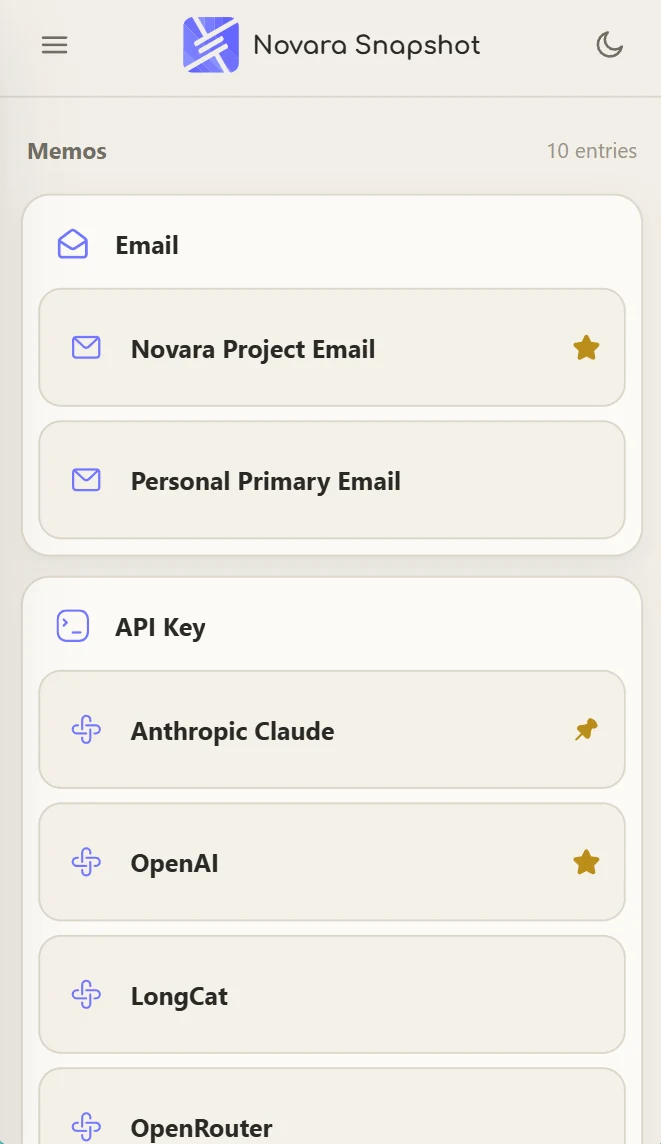
Export the whole vault as one self-contained encrypted HTML file: viewer, decryption logic, and data together. Double-click to open, or put it on a NAS or any static host.
- 01End-to-end encryption, same container as encrypted backups
- 02The passphrase is never stored or sent, and cannot be recovered
- 03Fields are masked by default; reveal on click, plaintext leaves memory on refresh
- 04Read-only by design, not a limitation: re-export to update
- 05Share with someone you trust: send file and passphrase on separate channels
Try it first: the live demo ships with sample data, passphrase 000000.
02 / SYNC
Encrypted sync,
ciphertext relay.
The server stores ciphertext blobs and necessary metadata, never SpaceKey, and cannot read content. The PC pushes and pulls asynchronously; Web-PWA decrypts and edits in browser memory and loses plaintext when closed.
The server can see
- Ciphertext blobs
- Versions and timestamps
- Device tokens and access records
The server cannot see
- Plaintext
- SpaceKey
- Your lock passphrase
03 / SELF-HOST
Runs on your own machine.
Docker, Compose, Synology and QNAP, and Ubuntu VPS are all supported. HTTPS is terminated by Caddy or your reverse proxy.
Docker
One docker run command; good for a quick first run.
Compose
Environment, persistent volume, and restart policy in compose.yaml.
NAS / VPS
Synology, QNAP, Ubuntu + Caddy; your domain, your certificate.
Your domainFull steps in the help center
Environment variables, pairing, backup, upgrades, and troubleshooting follow the current release.
Self-hosting means operations are yours too: HTTPS, patches, backups, and public exposure. See the real boundary